
Gateways and child sensors
A gateway is a device that sends the data of many sensors over one MQTT connection. In Celestian a gateway is a regular device with Gateway mode turned on. The menu Device Management → Gateways lists the devices that have gateway status.
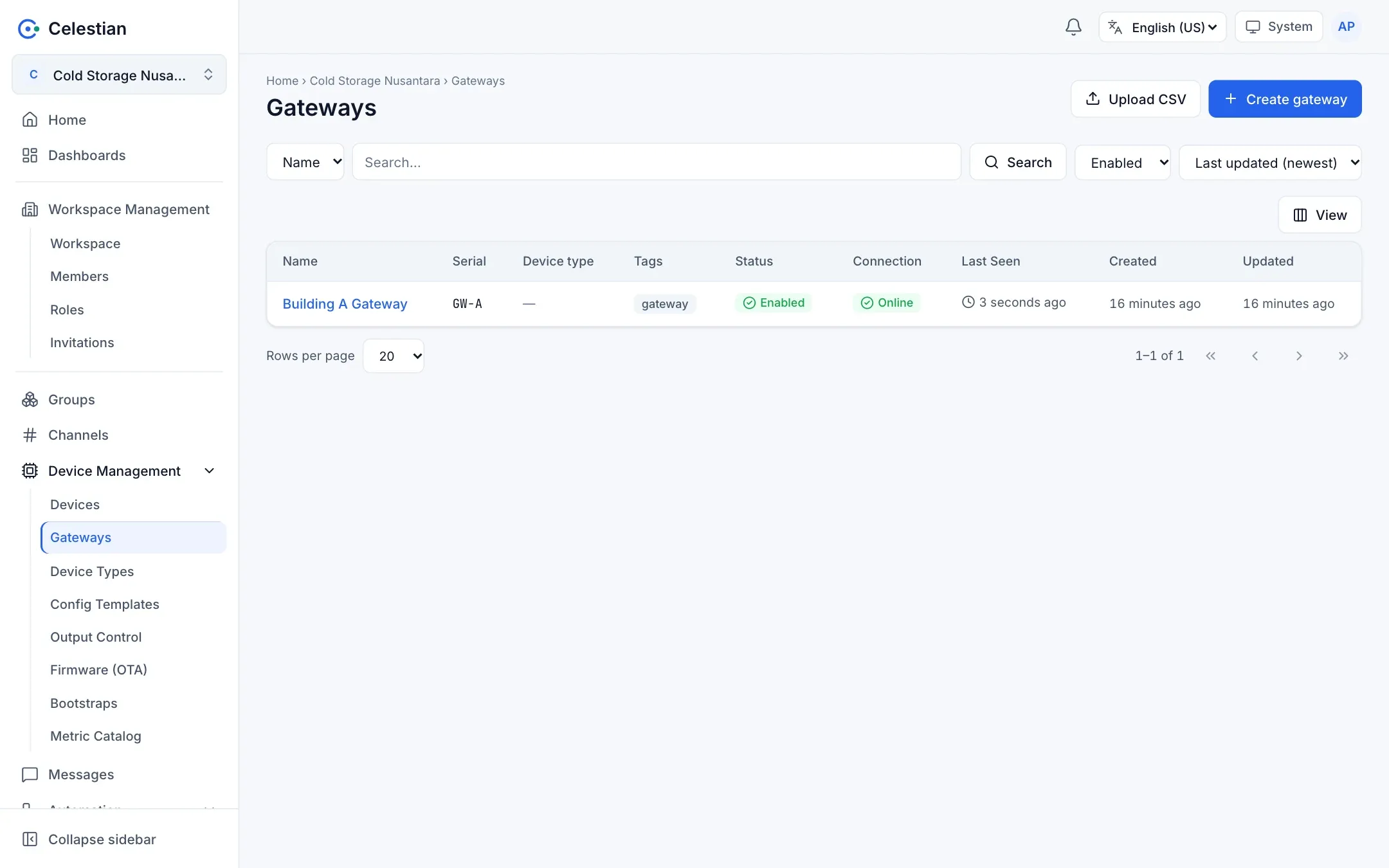
Gateway rules
Section titled “Gateway rules”- A gateway cannot be chained: a gateway may not have an intermediary gateway.
- A gateway that is still used by other devices cannot be demoted to a regular device.
- Only the gateway needs a connection to a channel. Child sensors do not need their own connections.
- Deleting a gateway releases the link to its children (the children are not deleted).
Sending data on behalf of child sensors
Section titled “Sending data on behalf of child sensors”A gateway identifies a sensor with bn (SenML) or id (SenFlat) in the payload. The recommended convention:
bn= the sensor MAC without separators, in lowercase, ending with:, for example001a2b3c4d5e:.- Always include
bt(the sample time, Unix seconds) in the same block.
A gateway may send per child (one message per sensor) or in batch (many sensors in one message, each block opening a new bn and bt):
[{"bn": "001a2b3c4d5e:", "bt": 1790000010.1, "n": "temp", "u": "Cel", "v": 24.5}, {"bn": "aabbcc001122:", "bt": 1790000010.2, "n": "temp", "u": "Cel", "v": 26.1}]The compact format for gateways: SenFlat v2.
Roster
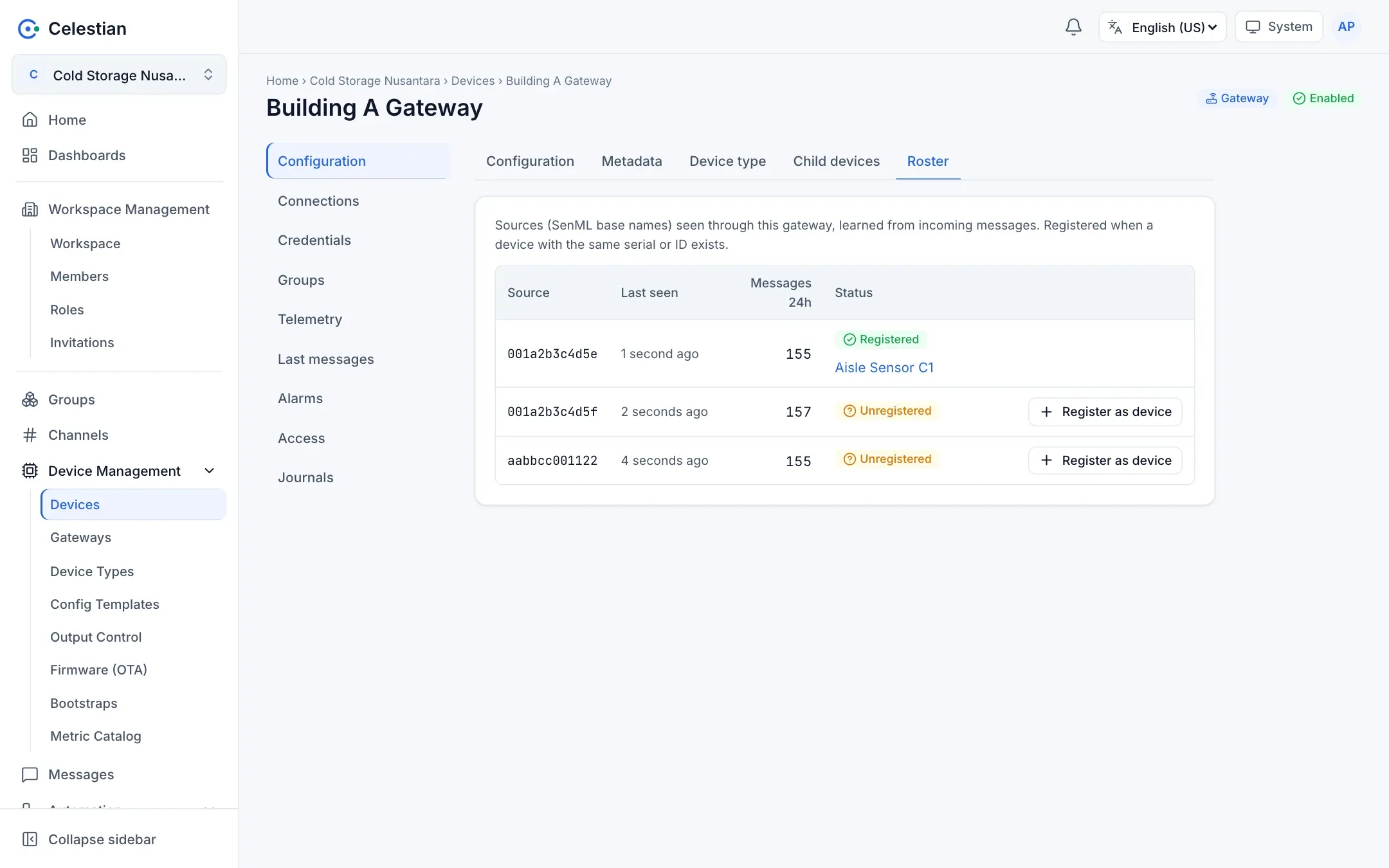
Section titled “Roster”On a gateway detail, the Roster tab lists the sources (bn) seen in messages from this gateway, with Last Seen, the 24-hour message count, and the Registered/Unregistered status. For a source that is not registered yet, the Register as device action is available.
Child devices
Section titled “Child devices”The Child devices tab lists registered devices that declare this gateway as their intermediary (set it from the Gateway tab on the child device).
How sources are matched to devices
Section titled “How sources are matched to devices”A source is matched to a device Serial (or ID), case-insensitively. So fill in the child device’s Serial with the same MAC as bn. The effects:
- The Telemetry tab, Last Seen, and the sparkline of a child device use the data that any gateway sent on its behalf.
- In Messages, the Device column shows the registered device name and metric names are shortened (the full name is in a tooltip). The stored name remains
bn+n. - The child’s connection status is derived from the gateway data: Online (via gateway) when its data was seen recently.