
Device Types
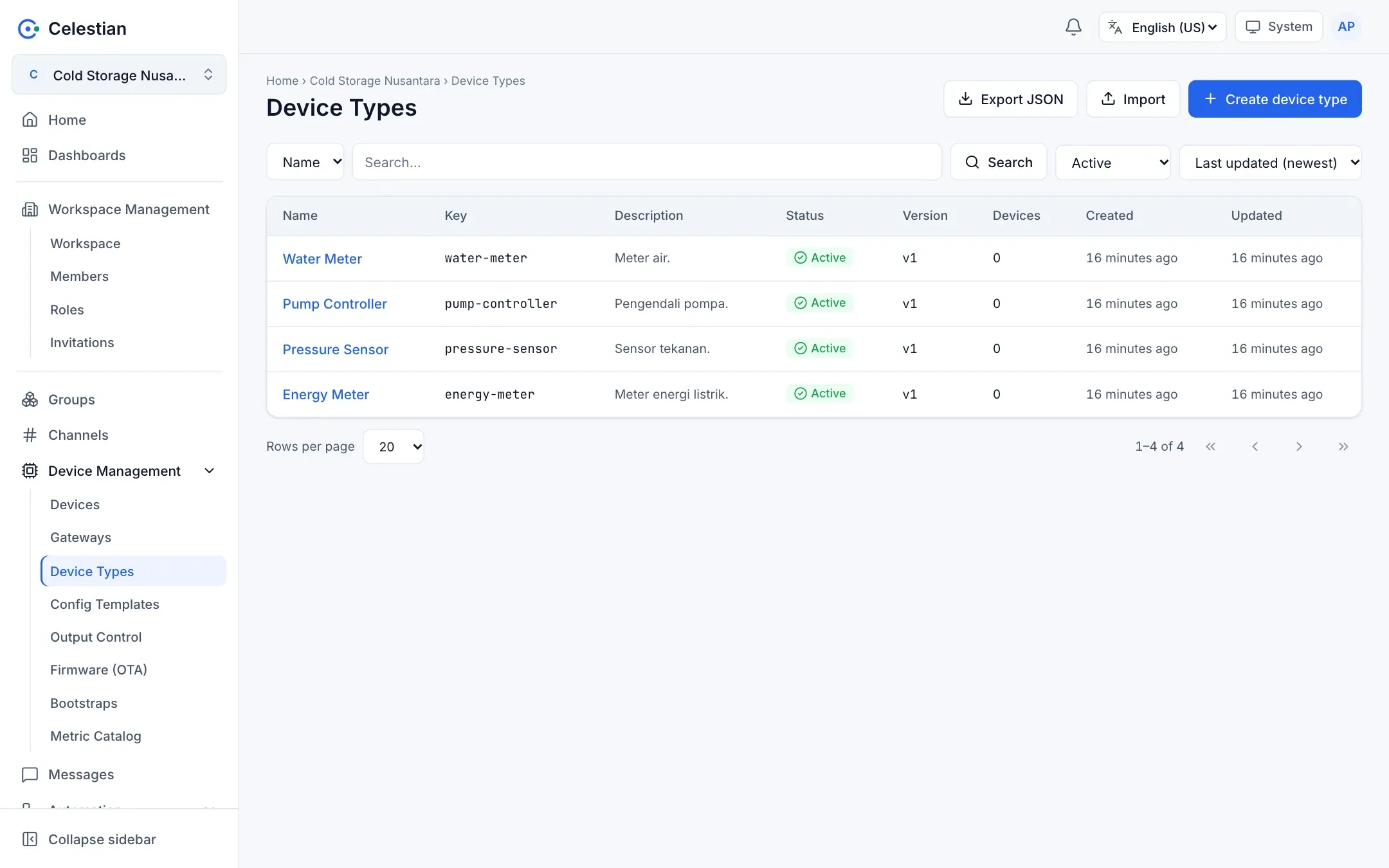
A Device Type defines the attributes that a group of devices must have (for example capacity, installation location, model). The type validates a device’s attributes, not the messages the device sends. Menu: Device Management → Device Types.
Concepts
Section titled “Concepts”- A type has a Key (a unique slug that cannot be changed) and a status of Active or Deprecated.
- Each type has versions (v1, v2, …). A version is immutable: it cannot be changed once created.
- A device is bound to one (type, version) pair and stores its attribute values. A new version does not invalidate devices that still use an old version.
- A type cannot be deleted, only deprecated.
Attributes
Section titled “Attributes”Each attribute has a Name (^[A-Za-z][A-Za-z0-9_]{0,39}$) and one of eight types:
| Type | Description |
|---|---|
string |
Text. Minimum/maximum means length. |
number |
A decimal number with a range. |
integer |
A whole number with a range. |
boolean |
True/false. |
enum |
One of the Allowed values. |
date |
YYYY-MM-DD or RFC 3339. |
json |
A JSON object or array. |
location |
{lat, lng}. |
Other options: Label, Placeholder, Help text, Required. At most 50 attributes per version, and the total attribute values of one device are at most 16 KB. A null value means not filled in, and unknown keys are refused.
Creating a type and versions
Section titled “Creating a type and versions”- Choose Create device type: fill in the Name, Key, and the attributes of the first version.
- On the Versions tab, choose New version to add v2 and so on.
- In the Create device form, pick a type and version; when the version is left empty, the latest active version is used. A deprecated type or version cannot be attached to new devices.
Migrating devices to a new version
Section titled “Migrating devices to a new version”Choose Migrate devices to vN on the Versions tab. Celestian shows a preview: devices whose attributes do not pass in the target version (or that you may not change) are skipped and reported, and the rest are migrated in one transaction. Problem devices can be fixed afterwards.
Built-in examples
Section titled “Built-in examples”The Create built-in examples button creates Energy Meter, Pressure Sensor, Pump Controller, and Water Meter (safe to repeat).
Permissions
Section titled “Permissions”A Device Type uses the workspace-level device scope permissions (read = device.read, change = device.write), plus the device_type scope for per-object access settings (Permission catalog).