
Devices
A device is a piece of equipment (a sensor or an actuator) that has credentials to connect to the broker. Menu: Device Management → Devices.
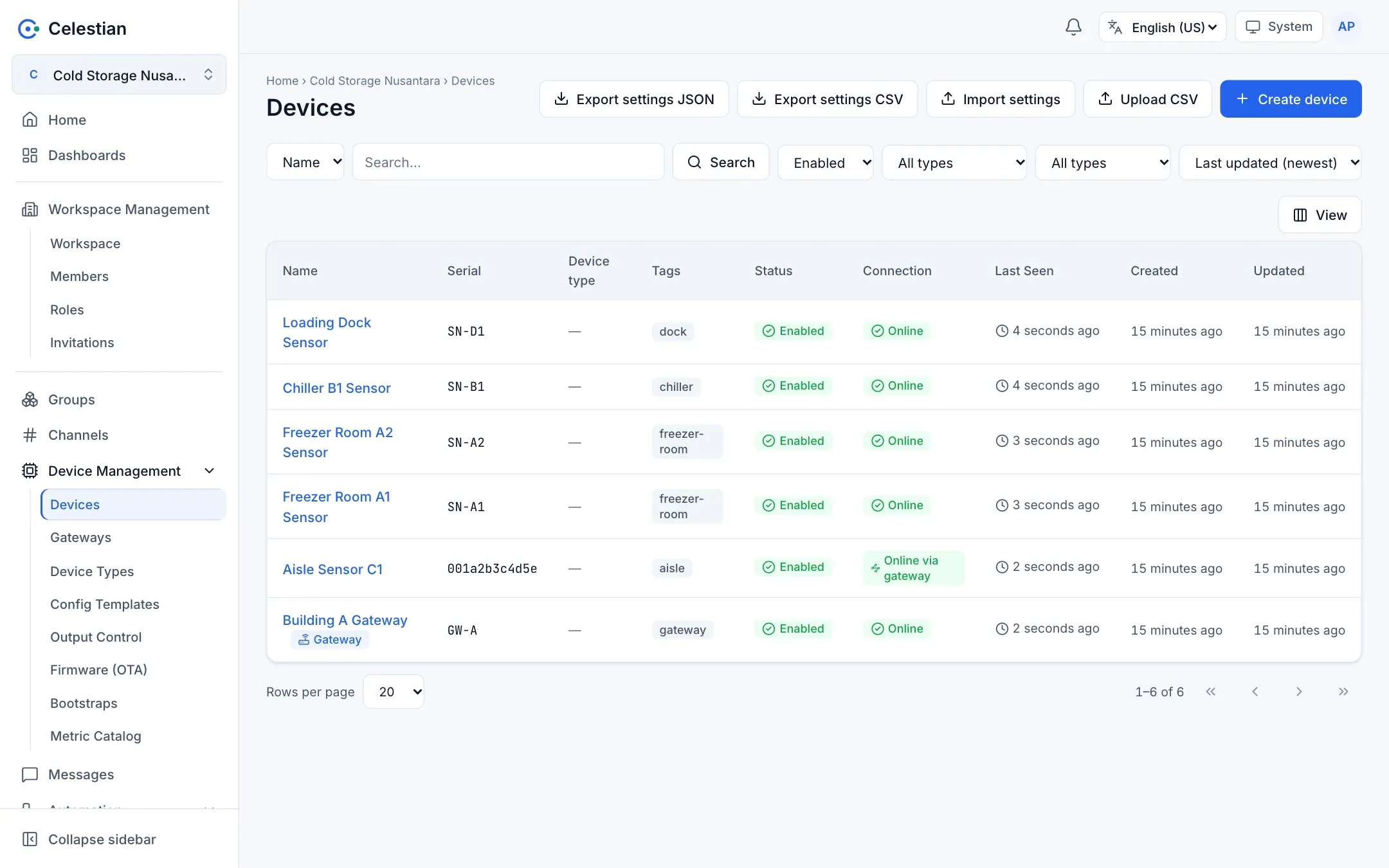
The device list
Section titled “The device list”Columns: Name (with a Gateway badge for gateways), Serial, Device type, Tags, Status, Connection (online/offline), Last Seen, and the creation and modification times. Available:
- Search by Name, Serial, Tag, or ID. For tags,
a,bmeans either (OR) anda+bmeans all (AND). - Filters for status, kind (regular device or gateway), and device type.
- The Display button to choose columns, remembered per list in your browser.
- Create device and Upload CSV (CSV format).
- Export settings JSON, Export settings CSV, and Import settings for bulk device settings (Configuration files).
Creating a device
Section titled “Creating a device”| Field | Rule |
|---|---|
| Name | Required. |
| Device key | Optional, 16 to 128 ASCII characters without spaces. Empty means a random key is generated. Used as the MQTT password. |
| Serial | Optional. A MAC address or serial number. Unique inside the workspace. Also used to match sensors behind a gateway. |
| Gateway mode | When on, this device is a gateway. A gateway may not have a gateway. |
| Intermediary gateways | Shown only when gateway mode is off. Pick the gateways that send data on behalf of this device. |
| Device type | Chooses a type and version; an attribute form appears according to the version schema (Device Types). |
| Tags, Group, Metadata | Optional. |
Device detail
Section titled “Device detail”The side menu of the detail page:
| Section | Contents |
|---|---|
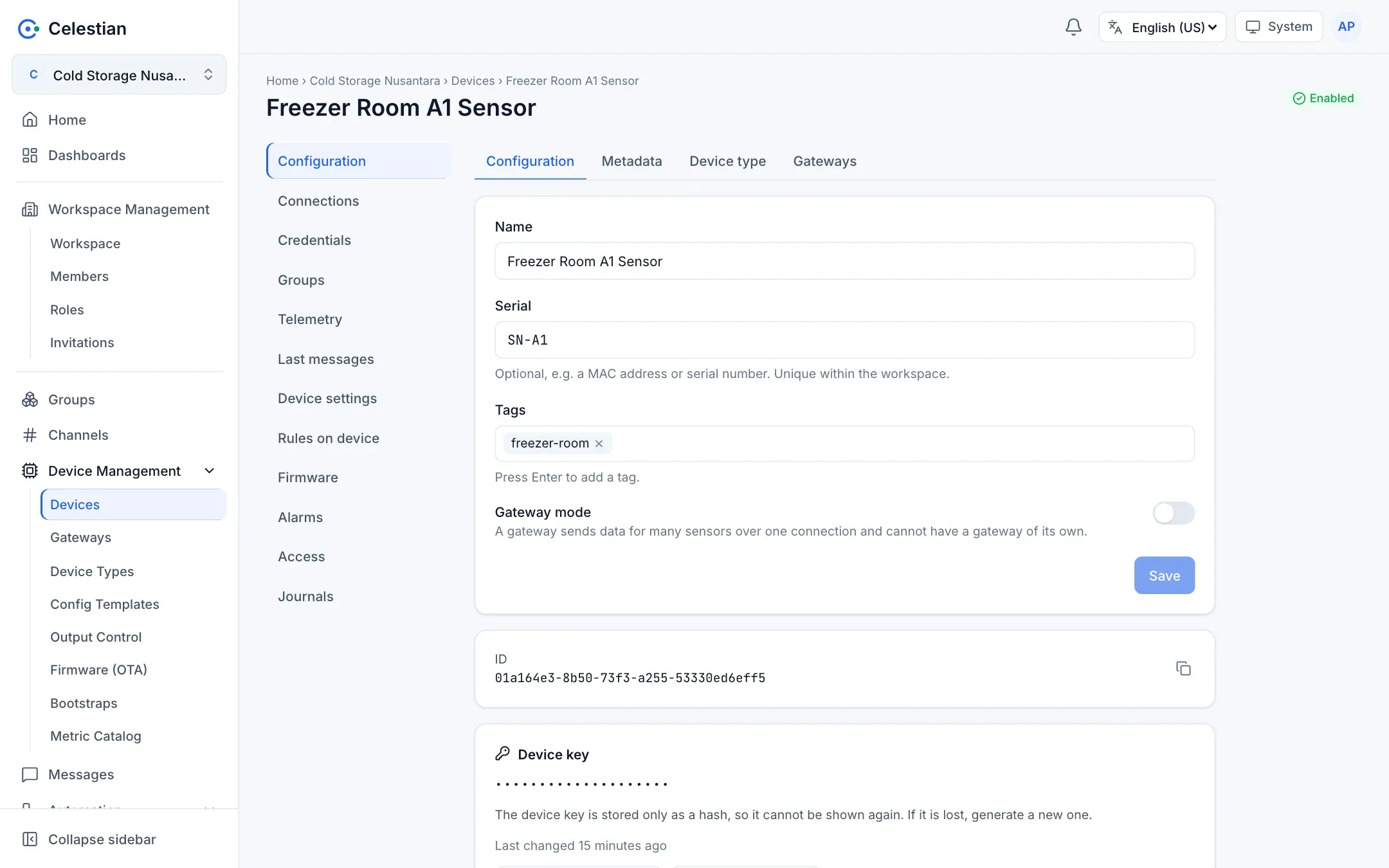
| Configuration | The Configuration tab (name, serial, tags, gateway mode, status, ID, device key, delete), Metadata, Device type, and Gateway. |
| Connections | Connected channels and their type; connect or disconnect. |
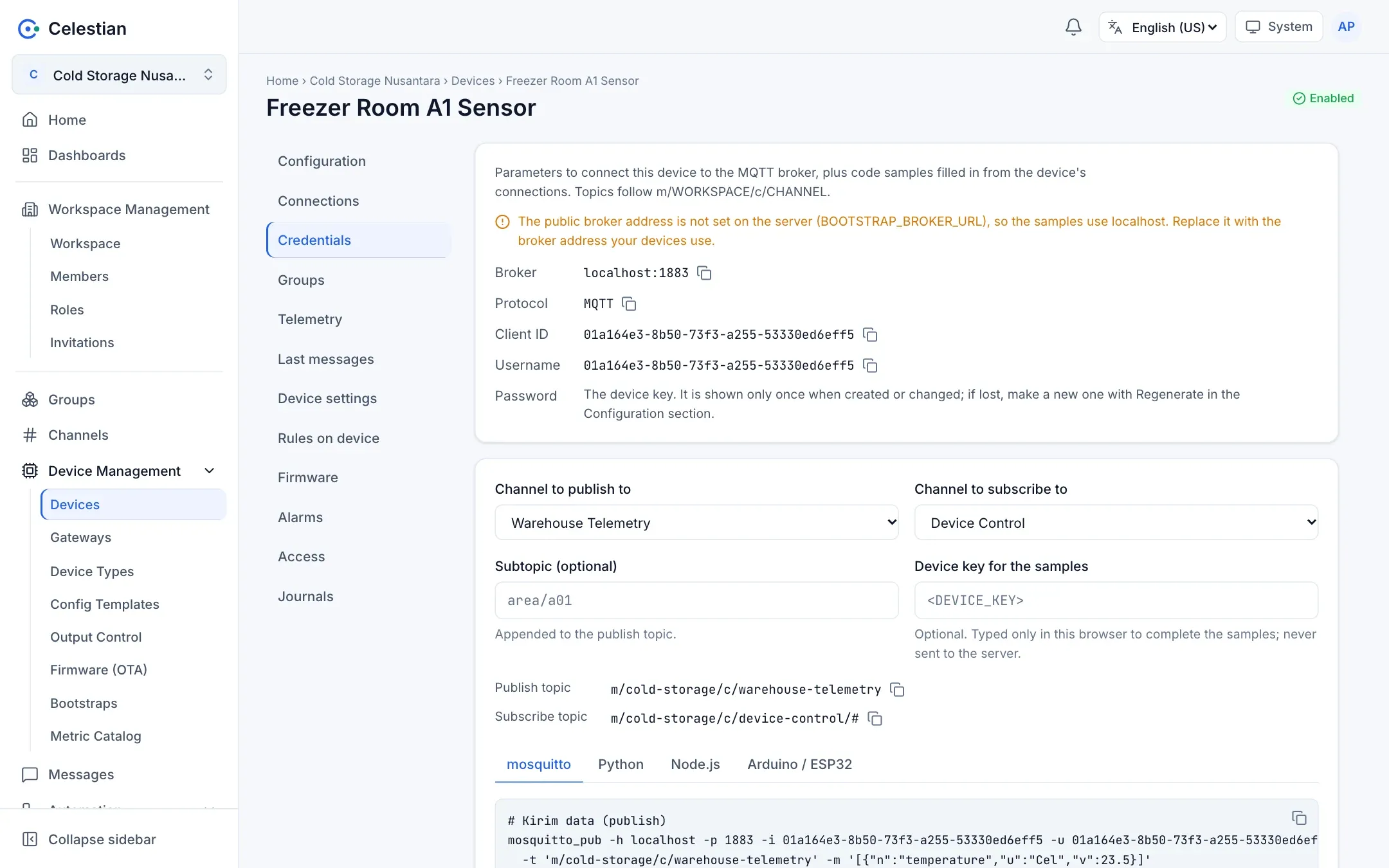
| Credentials | MQTT code examples with the ID and topic filled in automatically. |
| Groups | Groups that contain the device. |
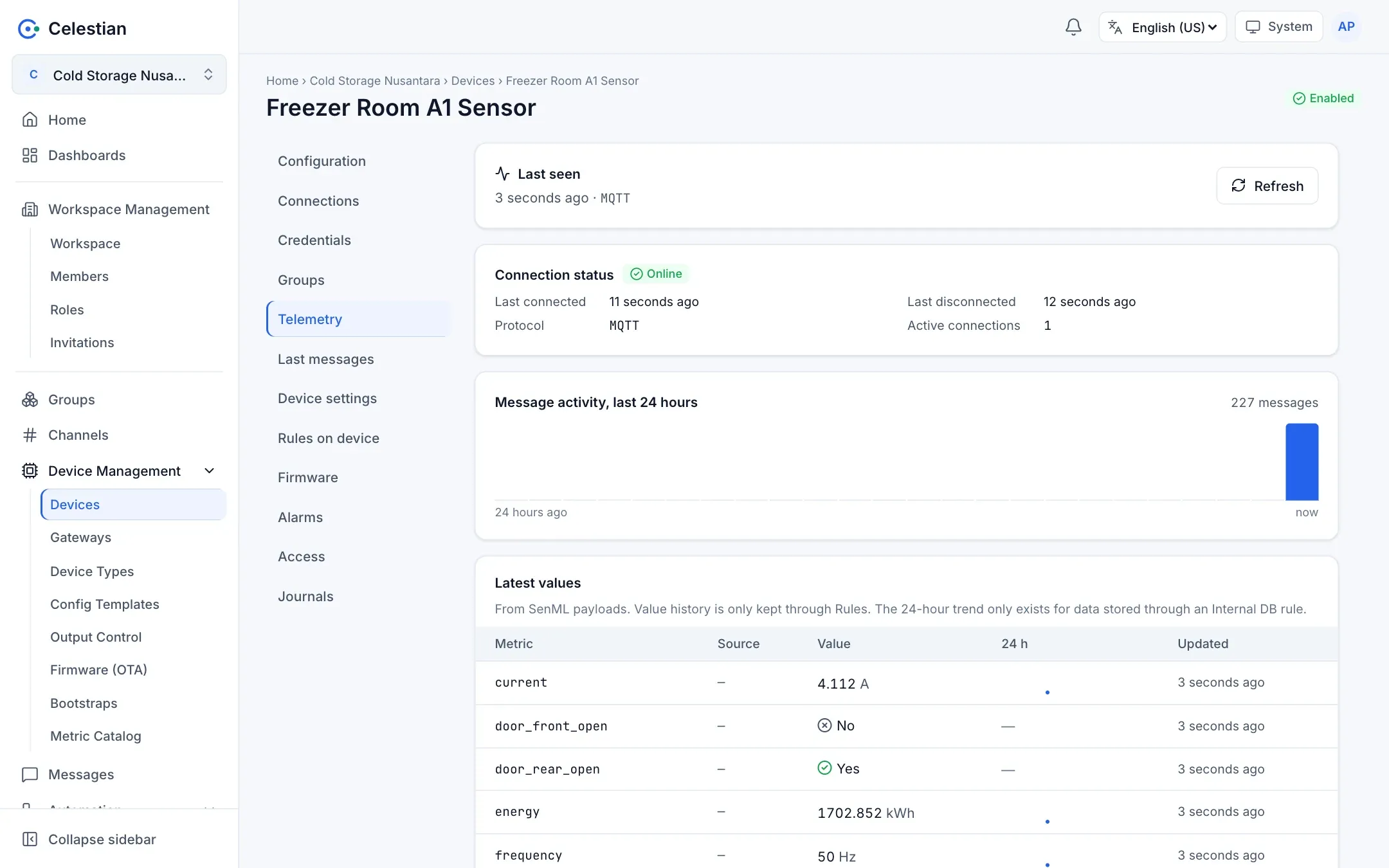
| Telemetry | The latest value of each metric, its time, and a 24-hour trend. |
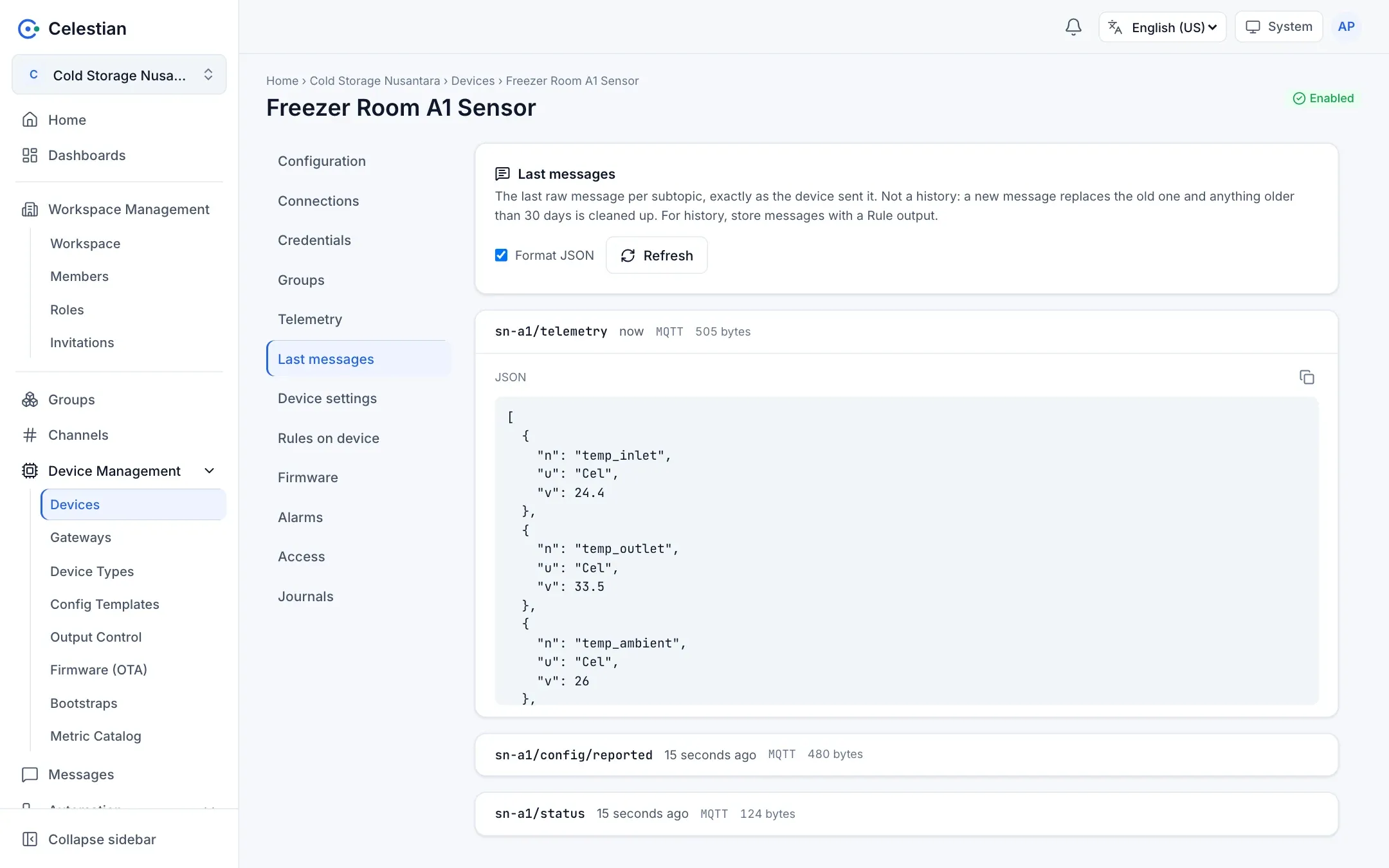
| Last messages | The most recent raw payload per subtopic, including config/reported and command results. |
| Device settings | Remote configuration for supported models (Remote device configuration). |
| Rules on device | Rules that run on the device (Rules on Device). |
| Firmware | OTA status and updates (OTA). |
| Alarms | Alarms related to this device. |
| Access | Roles and direct policies on the device. |
| Journals | Change history (created, changed, key changed, connections, and so on). |
Online status and Last Seen
Section titled “Online status and Last Seen”- Last Seen is recorded from every message the broker receives from the device, including messages that are not stored.
- Online/offline is derived from the MQTT session. Celestian records when the device last connected and disconnected.
- For sensors behind a gateway, the status is derived from the data the gateway sends on their behalf (shown as Online via gateway), because the sensors do not connect themselves.
Credentials and security
Section titled “Credentials and security”- MQTT: username = device ID, password = device key.
- A disabled device is refused by the broker. Deleting a device deletes its connections.
- Key changes are recorded in Journals without storing the key value.
- An MQTT client that is currently connected with the old credentials is only refused when it reconnects.
Device installation guide: Connecting devices (MQTT).