
Bootstraps
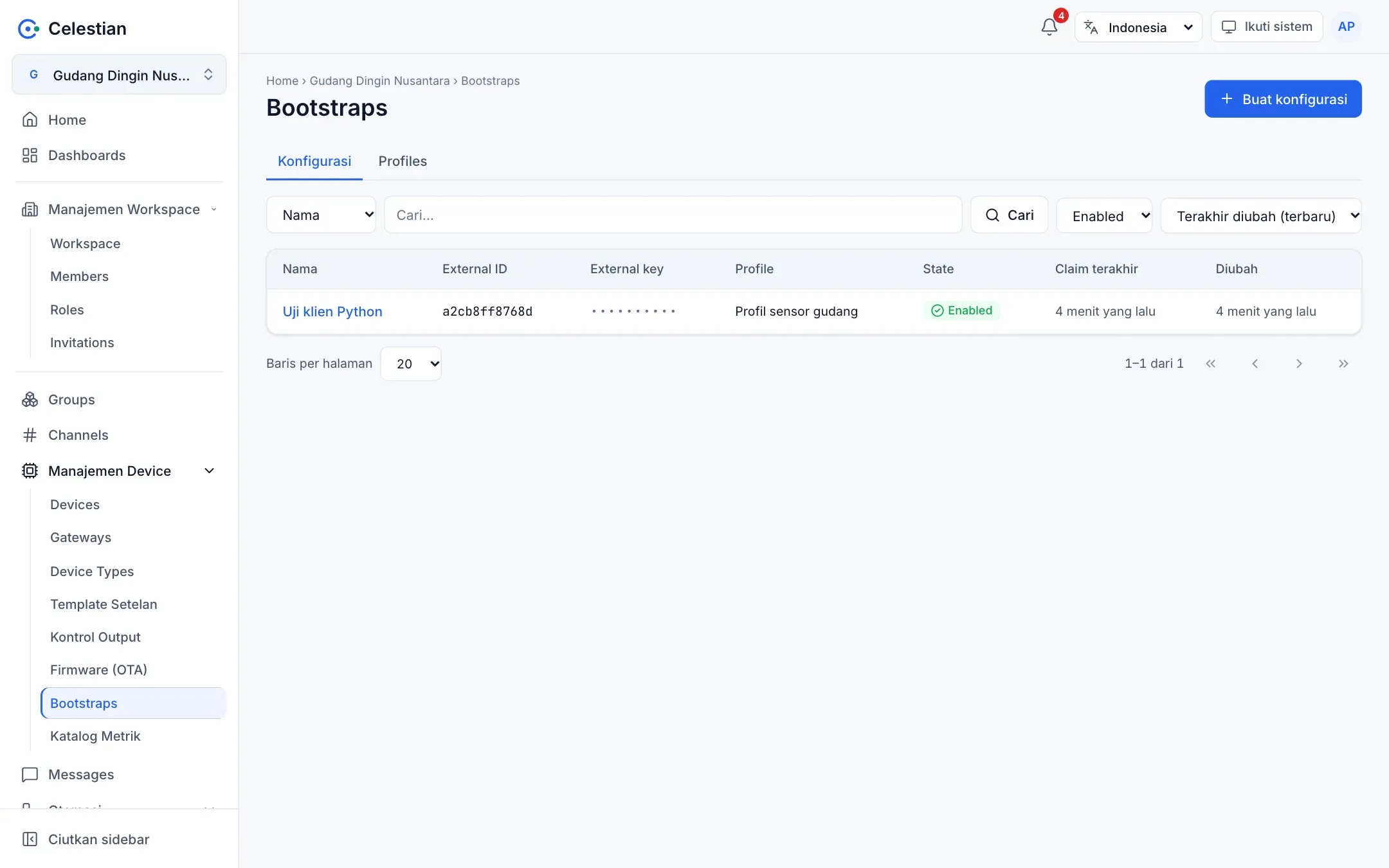
Bootstrap memungkinkan perangkat fisik mengambil kredensial dan konfigurasinya sendiri saat pertama menyala, tanpa Anda menanam device key secara manual. Perangkat hanya perlu mengetahui External ID dan External Key miliknya. Menu: Manajemen Device → Bootstraps.
Komponen
Section titled “Komponen”| Komponen | Fungsi |
|---|---|
| Profile | Template konfigurasi yang bisa dipakai ulang (format JSON, YAML, TOML, atau teks) beserta slot binding. |
| Configuration | Satu perangkat: External ID, External Key, profile, binding slot ke device dan channel nyata, dan status Enabled/Disabled. |
Profile
Section titled “Profile”Isi: Nama, Deskripsi, format template, isi template, dan binding slot (nama slot, tipe device atau channel, wajib atau tidak). Template memakai sintaks text/template Go dengan variabel:
| Variabel | Isi |
|---|---|
{{ .Device.ID }}, .Device.Key, .Device.Name, .Device.Serial |
Device pada slot bernama device. |
{{ .Devices.<slot> }} |
Device pada slot lain. |
{{ .Channels.<slot>.ID }}, .Name, .Route |
Channel pada slot. |
{{ .Broker.URL }} |
Alamat broker (diatur administrator server). |
{{ .Workspace.ID }}, .Workspace.Route |
Workspace. |
{{ .Config.ID }}, .Config.Name, .Config.ExternalID |
Konfigurasi bootstrap. |
Fungsi tambahan: json. Template dibatasi demi keamanan: tanpa define, template, block, printf, print, println, call, dan range atas angka. Keluaran maksimal 256 KB. Saat disimpan, template dirender dengan data contoh untuk memastikan sahnya.
Contoh template JSON:
{ "mqtt": { "url": "{{ .Broker.URL }}", "username": "{{ .Device.ID }}", "password": "{{ .Device.Key }}", "topic": "m/{{ .Workspace.Route }}/c/{{ .Channels.telemetri.Route }}/{{ .Device.Serial }}" }}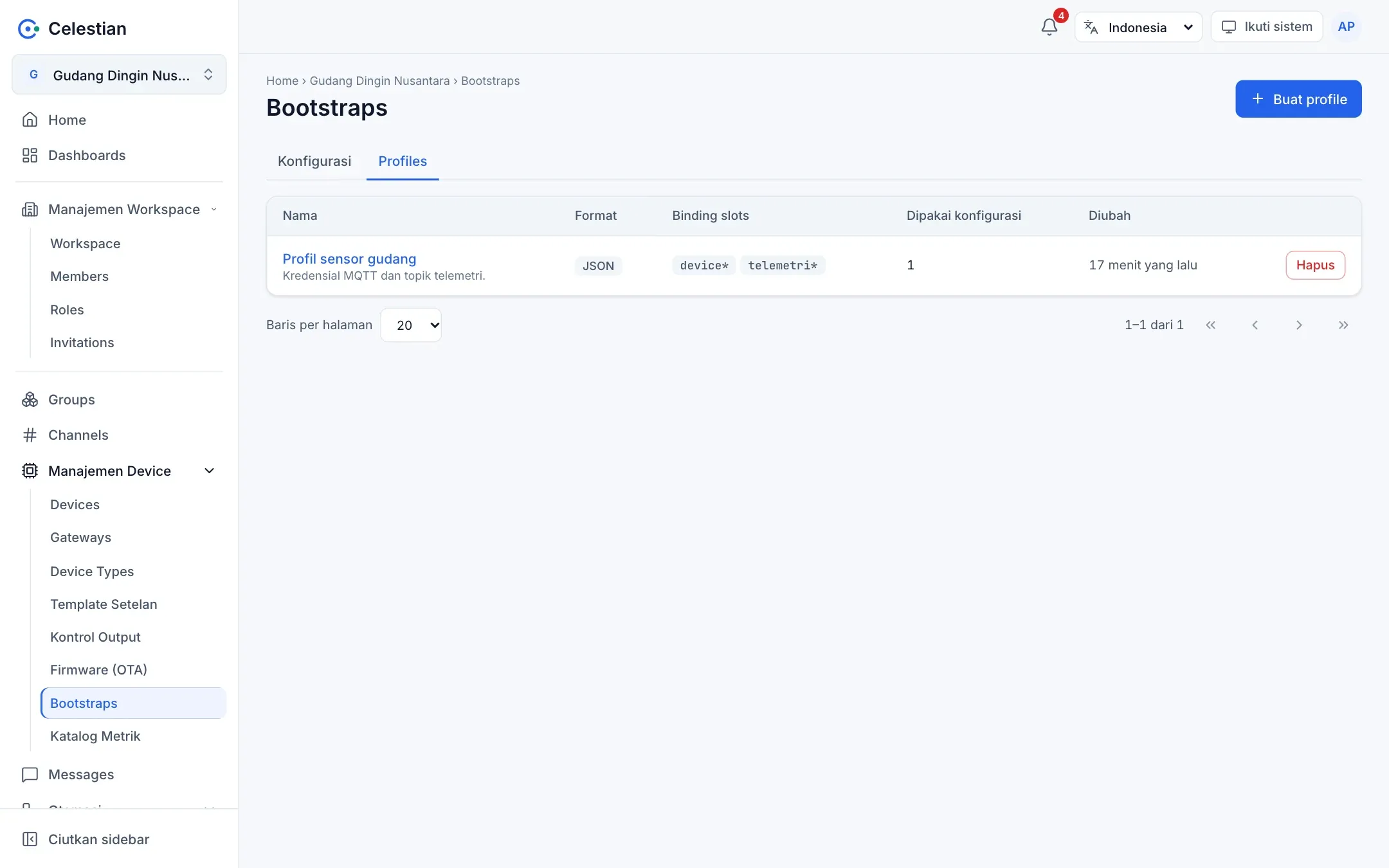
Configuration
Section titled “Configuration”Isi Nama, External ID (unik per workspace, misalnya MAC), External Key (dibuat otomatis dan ditampilkan sekali, atau isi sendiri minimal 10 karakter), Profile, dan binding (setiap slot diisi device atau channel nyata). Sertifikat klien (Client Cert, Client Key, CA Cert) bersifat opsional.
External Key disimpan terenkripsi (AES-GCM dengan kunci server), bukan di-hash, karena server harus memverifikasi HMAC. Karena itu server harus punya SECRETS_KEY, kalau tidak bootstrap menjawab 503.
Protokol
Section titled “Protokol”Perangkat berbicara lewat HTTPS ke aplikasi web (tanpa login):
POST /api/bootstrap/{workspace-route}/challengedengan{"externalId": "..."}→ server membalas nonce (hex 32 karakter, sekali pakai, berlaku 60 detik).POST /api/bootstrap/{workspace-route}/claimdengan{"externalId", "nonce", "proof"}, denganproof = hex(HMAC-SHA256(external_key, nonce))(nonce diperlakukan sebagai string teks).- Server memverifikasi proof, lalu membalas konfigurasi terenkripsi:
{"alg": "aes-256-gcm", "nonce": base64(12 byte), "ciphertext": base64(isi+tag)}. Kunci =HKDF-SHA256(secret=external_key, salt=nonce, info="celestian bootstrap v1")(32 byte), dan AAD = External ID. - Hasil dekripsi adalah JSON:
workspace,configId,device {id, key, ...},devices,channels,brokerUrl,format,content(template yang sudah dirender), dan sertifikat bila ada.
import base64, hashlib, hmac, json, urllib.requestfrom cryptography.hazmat.primitives.ciphers.aead import AESGCMfrom cryptography.hazmat.primitives.kdf.hkdf import HKDFfrom cryptography.hazmat.primitives import hashes
BASE = "https://celestian.example.com/api/bootstrap/gudang-nusantara"EXT_ID, EXT_KEY = "a2cb8ff8768d", "kunci-eksternal-anda"
def post(path, body):    req = urllib.request.Request(BASE + path, json.dumps(body).encode(),                                 {"Content-Type": "application/json"})    return json.load(urllib.request.urlopen(req))
nonce = post("/challenge", {"externalId": EXT_ID})["nonce"]proof = hmac.new(EXT_KEY.encode(), nonce.encode(), hashlib.sha256).hexdigest()resp = post("/claim", {"externalId": EXT_ID, "nonce": nonce, "proof": proof})
key = HKDF(hashes.SHA256(), 32, nonce.encode(), b"celestian bootstrap v1").derive(EXT_KEY.encode())plain = AESGCM(key).decrypt(base64.b64decode(resp["nonce"]), base64.b64decode(resp["ciphertext"]), EXT_ID.encode())config = json.loads(plain)print(config["device"]["id"], config["brokerUrl"])Keamanan protokol
Section titled “Keamanan protokol”- Penolakan sebelum proof terbukti memakai satu kode yang sama untuk workspace, External ID, dan nonce yang salah, jadi protokol tidak bisa dipakai menebak identitas.
- Lockout per External ID: 5 kegagalan dalam 15 menit menghasilkan 429 dengan
Retry-After. Batas 10 challenge per menit. - Konfigurasi Disabled dengan proof benar dijawab 403. Slot wajib kosong atau device dihapus dijawab 409.
- Riwayat claim (berhasil dan gagal, tanpa rahasia) disimpan maksimal 200 baris per konfigurasi.
Panel uji
Section titled “Panel uji”Detail konfigurasi punya Panel uji yang menjalankan langkah 1–4 satu per satu tanpa efek samping (tidak memutar key). Pakai untuk memastikan template dan binding benar sebelum perangkat fisik dipasang.